
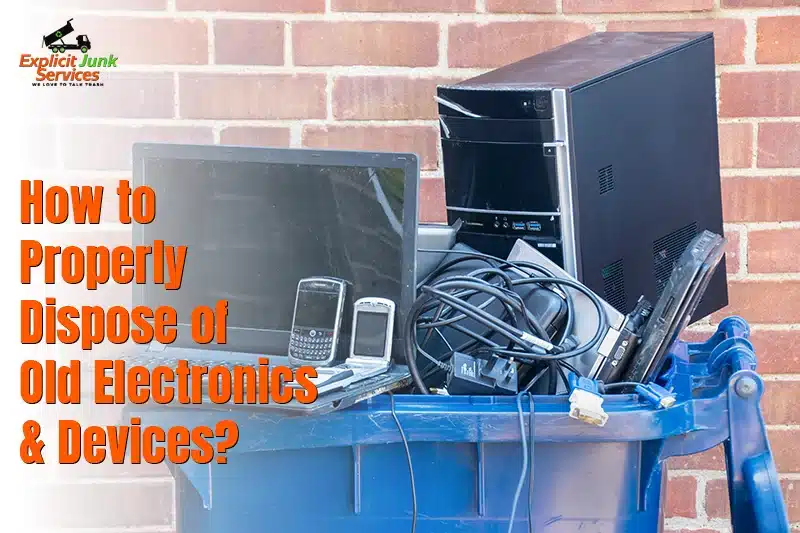
Why Proper Electronic Disposal Matters
You may have a box of old tech that sits in your home like a silent vault of past years. Each item once held joy or use, yet now it waits for a clear next step. When you look at that pile, you may feel unsure, as if one wrong move could harm the world or risk your data. This is why proper care and smart steps matter from the very start.
When you toss devices in the wrong bin, you also risk your own data. Old files, saved logins, and stored media stay in chips even when the screen goes dark. Bad actors can pull that data and use it for harm. When you learn how to dispose of old electronics and devices, much like learning how to dispose of an old refrigerator, you keep your data safe from those risks by following clear, secure steps.
This guide shows safe steps, smart plans, and local paths you can use to clear your home of old tech in fair, responsible ways. You learn where to take items, how to prep them, and how to guard your data, much like you would when choosing the best junk removal equipment for cleanout tasks. With each step, you gain a clear view of how to dispose of old electronics and devices in calm, safe, and wise ways.
Before You Dispose (Prepare Your Electronics)
Protect Your Data and Your Safety First
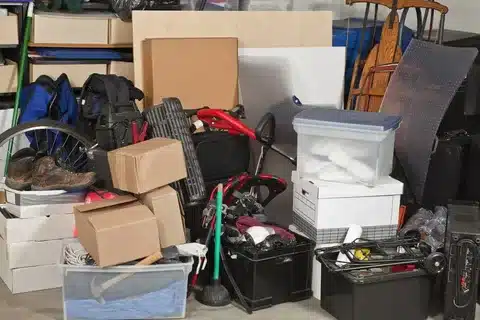
Make a full backup of your files so no key data gets lost when you clear your old tech. Store that back up on a safe drive or a cloud tool you trust. Then pull out SIM cards or memory cards with care so no one can reach your past calls, shots, or notes. These small steps help you learn how to safely dispose of old electronics with calm and trust.
Do a full reset on each device so all your logins, mail, and app marks get wiped. Sign out of each account on your phone, tablet, or PC so no link stays live. A full reset cuts the tie to your old data and gives you a clean slate. This move keeps your info safe and shows you how to safely dispose of old electronics in a smart way.
Unplug and cool down each device so you can take out the cell or pack with no risk. Some cells hold charge long after you stop using them, and a wrong pull can spark harm. Let the device rest, then take the cell out with soft, slow steps. A safe pull gives you peace as you prep for drop off.
Clean each item with a dry wipe so it looks neat for a new user or for recycle teams. Dust, prints, and grime make items hard to sort or test. A clean item shows care and helps staff move fast. This last step makes your prep feel firm and full.
How to Dispose of Old Electronic Equipment
Large and Small Devices Require Different Care
Large screens, tall PCs, and wide print rigs must be moved with slow, firm steps so no part breaks or leaks. These big items hold glass, cords, and sharp parts that can harm you if you rush. When you learn how to dispose of old electronics equipment, you see why some gear needs teamwork and clear plans. Small items like cams, buds, and pods can fit in one hand, yet they still need care so they reach the right drop point.
Look for city drives or local e-waste days where you can drop large or small tech with no fuss. Most towns run set dates each month where staff take old gear and store it in safe bins. This path helps you learn how to dispose of old electronics equipment in ways that protect soil, air, and water, much like the organized approach used in professional hoarder cleanouts, where every item is handled with care and responsibility.
Most big shops like Best Buy or Staples take in old gear for free. You can bring screens, tabs, PCs, or cords and hand them to staff who know how to sort each part. These shops send items to safe zones where they break down gear the right way. This is one of the best ways to clear your home of old tech with no risk.
How to Dispose of Old Electronics Waste
Eco-Friendly E-Waste Disposal Options
Use top-grade e-waste hubs that hold clean rules for sort, break, and melting steps. These hubs know how to dispose of old electronics waste with care, so no part leaks harmful substances. They pull glass, chips, cords, and mixed parts apart and send each piece to the right path. When you trust these hubs, you cause less harm to soil and air.
Do not drop your old gear in a trash bin, as this may break laws in your town. Many places ban old tech in home trash due to leaks, sparks, or fumes that can harm crews or fields. When you learn how to dispose of old electronics waste, you gain safe ways to clear your space with no risk.
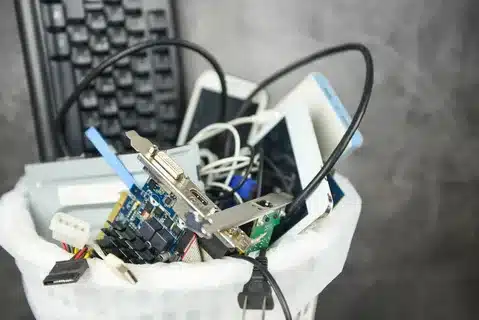
Give your old tech to groups that fix, test, and share it with folks who need it. Many non-profit teams take used screens, tabs, cams, or PCs and make them feel new. This gives each item a new life and keeps gear out of landfill pits. A kind act like this can help a child, a senior, or a small group gain a tool they could not buy.
How to Dispose of Old Electronic Devices Step-by-Step
The Correct Way to Handle Every Item
Step 1: Start by checking each item to see if it still holds some use or can serve a new home. Some phones, tabs, cams, or small rigs can still work with a quick fix. When you learn how to dispose of old electronics devices, you see that reuse is often the first and best path. A calm check helps you pick what to pass on and what to send to recycle hubs.
Step 2: Take out cells, packs, or small charge units with slow and safe steps. Many cells hold a charge and can spark if bent or cut. When you learn how to dispose of old electronics devices, you give each cell its own drop path so no harm comes to crews or land.
Step 3: Drop your items at state, city, or shop-run e-waste hubs. These hubs hold clean rules and tools that sort glass, metal, and chip parts with care. Staff at these hubs know how to break down each piece and send it to the right line. This helps you clear your home with no risk.
Step 4: Ask for a slip that shows your item went to the right place. This slip gives you peace and proof that you used a safe path. Firms use these slips to track waste and show they meet rules. This small step makes your work feel fair and full.
How to Dispose of Old Electronic Cables and Accessories
Don’t Toss Those Cords (Reuse or Recycle)
Make neat sets of your cords by bundling each group with a soft tie and then marking each pack with a short tag. This helps you see what you have and stops knots that harm the cord. When you learn how to dispose of old electronic cables, you see that clean prep makes drop-off fast and safe, just like when you learn proper broken appliances disposal guide, where organized sorting leads to smoother and safer handling.
Check your town e e-waste bins to see if they take cords, buds, or small plugs. Most bins have clear signs that show what they take. Staff sort these cords by type and send them to safe hubs that melt or fix each part. This helps you learn how to dispose of old electronic cables with no harm to land or air.
Share cords, buds, or small add-ons with schools or groups that need them for class sets. Many labs, clubs, or small teams look for cords to help kids learn tech. A clean, working cord can help a child work on a task or help a club set up gear. This small act can help your town and cut waste.
How to Dispose of Old Electronics, Tablets, and Phones
Smart Devices Need Smart Disposal
Wipe all data from your tabs and phones so no trace of your life stays on the chip. A full reset clears mail, shots, app marks, and saved logins. Sign out of each account so no link stays live in the cloud. These steps guide you on how to dispose of old electronics tablets in ways that guard your info and keep you safe.
Use trade-in or maker-run plans from Apple or Samsung to give your device a new life. These firms fix, test, and clean items so they can serve a new user. You gain store credit, and the device skips the wait line. When you learn how to dispose of old electronics tablets, you see that trade-in plans can help both you and the world.
Give your tablet or phone to a child, a senior, or a group that can use it for class or work. Many folks need a small device to learn, read, or stay in touch. A clean, working tab can help them join the tech age with ease. This path cuts waste and brings joy to someone who needs it.
How to Dispose of Old Electronic Cameras
Handle Lenses and Batteries Carefully
Take out each cell from your cam with slow and calm steps so no spark or harm takes place. Most cams use small lithium cells that can leak or flare if bent or cut. When you learn how to dispose of old electronics cameras, you see why each cell must have its own safe drop path. Place the cell in a clear bag and take it to a state or shop with a run-of-the-mill bin made for these parts.
Rub the lens with a soft cloth and clean the camera body so it looks neat for a new user. Many cams still work well and can help a young mind learn how to shoot or film. When you learn how to dispose of old electronics cameras, you see that a clean cam can serve a class, a club, or a small art group with ease.
Take your old or broken cam to a photo shop or a maker hub that takes in cams for testing or breaking down. These shops know how to sort the lens, body, and chip parts and send them to the right line. This keeps glass and chip bits out of land pits and helps the world stay clean.
How to Properly Dispose of Old Appliances and Electronics
Large Appliances Need Special Handling

Large home rigs like fridges, wash tubs, or heat units hold parts that must be moved with calm skill. Some hold cool gas or sharp bits that can harm you or leak into the air. When you learn how to properly dispose of old appliances and electronics, you see why these rigs need a pro team or a firm plan to keep all safe.
Call a shop or brand team that takes back old rigs when you buy a new one. Many top shops send a skilled crew to lift, move, and haul your old item to a safe site. These crews know how to properly dispose of old appliances and electronics with steps that guard your home, your yard, and the world.
Ask your haul team or junk crew if they use safe green paths to break down these rigs. Many firms now sort steel, wire, chip, and glass in clean bins so each part can serve a new use. This helps you clear big rigs with no harm and lifts the life of each part for new work.
How to Dispose of Old Electronics Near Me
Find Local E-Waste Collection Points
Look up your city or county sites to find a list of drop spots close to your home. Most towns post maps that show hubs, hours, and rules for each bin. This helps you learn how to dispose of old electronics near me with clear, fast steps that fit your day.
Use tools like Earth911 or Call2Recycle to see which spots take tabs, cams, cords, or cells. These tools show maps, times, and item lists so you can plan your trip with ease. When you know how to dispose of old electronics near me, you save time and reach safe hubs that follow clean rules.
Check your town for clean-up days or hazard waste events run by local teams. These events let you drop old tech for free and help your town keep land and air clean. Staff at these events know how to sort each piece and send it to safe hubs. This small step helps your world stay green.
Where to Dispose of Electronics for Free
Free and Convenient Drop-Off Options
Many large shops like Best Buy and Staples let you drop off old tech at no cost. You can bring tabs, cams, cords, and even some screens, and the staff will sort them with care. When you learn where to dispose of electronics for free, you gain paths that save you cash and help your world stay clean.
Some makers let you mail in old gear for free so they can fix or break down parts the right way. Apple, Dell, and other brands give you a label and let you send items by post. This helps you clear your home with no trip or fee. When you know where to dispose of electronics for free, you get one of the easiest ways to deal with old gear.
Your town may host free e-waste drives where you can hand in old tech with no cost. These drives run once a month or once a year and take many forms of gear. Staff at these drives know how to sort and pack items so each part goes to the right hub. This step helps you keep your home neat and your land safe.
Follow Local and Federal E-Waste Laws
Stay Compliant and Environmentally Responsible
Some towns and states set firm fines for wrong tech dump acts. A small phone or cam tossed in a home bin can lead to harm in land pits and risk for crews. When you learn how to properly dispose of old electronics, you keep your home in line with rules and stay safe from fees.
Check the lists of EPA-marked hubs that sort and melt e-waste with clean steps. These hubs meet strong rules that guard land, water, and air. When you know how to properly dispose of old electronics, you see why EPA-grade hubs give you more trust and keep your items on safe paths.
Learn what the R2 or e Stewards mark means on a hub site. These marks show that the hub meets strict rules for gear sort, chip break, and glass melt. When you pick hubs with these marks, you gain calm trust that each part gets the best care.
Quick Comparison (Best Ways to Dispose of Electronics)
A clear chart can help you pick the best path for each item in your home. Some gear works best with trade-in plans, while others must go to e-waste hubs or shop drop points. This guide gives you a fast view so you can make smart and safe picks with ease.
Each device has its own needs due to size, parts, and risk. A small cord may go in a bin, but a large screen needs proper care. When you use this chart, you see how each path keeps land, air, and crews safe from harm.
Device Comparison Table
| Device Type | Best Disposal Option | Cost | Notes |
| Phones/Tablets | Trade-in or Donate | Free | Erase all data |
| TVs/Monitors | Retailer drop-off | Free–$30 | Handle gently |
| Cables | E-waste bin | Free | Bundle neatly |
| Appliances | Haul-away service | Varies | Check refrigerants |
| Cameras | Photoshop program | Free | Remove batteries |
This table gives you a quick map that fits both your home and your town’s rules. Use it to plan your next clean-up and keep each item on the right path.
How to Dispose of Old Electronics Responsibly (Final Tips)
Keep the Planet Clean and Your Data Safe
Do not dump old tech in trash bins or dark lots, as this harms land, air, and water. Wrong paths send chips, glass, and cells to pits where they leak into soil. When you learn how to dispose of old electronics and devices, you see that one small move can stop long-term harm.
Store old gear in a dry, cool spot until you can take it to a safe hub. Heat, damp, or dust can harm cells or wires and make them unsafe to move. A calm store spot keeps your tech safe while you plan your next step.
Pick hubs, shops, or brands that use clean green rules to break down or fix gear. These teams know how to sort steel, wire, chip, and glass so each part can serve a new life. This helps you learn how to dispose of old electronics and devices with steps that protect the world and keep your data safe.
Conclusion
Small Steps, Big Impact (Dispose Responsibly)
Look back at the many clean paths you now know for old tech. You can use shop bins, city hubs, or mail-in plans that keep land and air safe. These simple acts show you how to dispose of old electronics with calm, smart care.
Choose green paths and guard your data at each step. When you prep your gear, clear files, and sort parts, you support your home and your town just like you would with any responsible junk removal or debris removal service. Each small move adds up and keeps harm out of soil, air, and water, reinforcing the same care and environmental focus that Explicit Junk Service encourages in every cleanup.
“Ready to declutter responsibly? Find your nearest recycling center today.” Take a calm step and look up a safe hub that fits your day. A short trip can clear your home and help your town stay clean. This one move helps you cut waste, guard your data, and keep harm out of land, air, and water.
FAQs
Common Questions About Electronics Disposal
You should not place old tech in a trash bin, as many states ban this due to leak or spark risks. Cells, chips, and screens can harm land, air, or crews who sort waste. A safe hub keeps these parts out of pits and places them on clean paths. Many towns now post clear rules that guide you to drop spots or free drives. You gain peace and protect your town when you use these safe hubs. This choice also keeps your data safe from theft or misuse.
Yes, most Best Buy shops still take many forms of old gear at no cost. You can bring cams, cords, PCs, and even some screens to staff who know how to sort them. Some items may have a small fee, yet most small tech is free to drop. This helps you clear your home and trust that each part gets safe care. Check your local shop page to see item lists and drop times. Staff can also guide you on the next steps for large or rare items.
Cells must be kept in a cool, dry box and never bent, cut, or tossed in home bins. Many cells can flare or leak when harmed, which puts your home at risk. Use shop bins, state hubs, or mail plans meant for cell drop. Place each cell in a clear bag so crews can sort them with care. This one step keeps land and air clean and guards crews from harm. Your town post may list safe hubs close to you.
Both are good, yet some items can serve a new home with one quick fix. A clean tablet, cam, or phone can help a child learn or a senior stay in touch. When you pass on gear, you cut waste and help your town. If an item no longer works, a safe hub can sort and break down each part. This keeps glass, chip bits, and cords out of pits that harm the land. Choice comes down to use, age, and your town’s rules.
Cost can shift due to size, type, and the path your crew must take. Small items may cost less, while large screens or rigs may need more work. Some firms charge by trip, while others charge by item. You can call a few crews to get clear quotes and pick the best plan. Many towns also hold free drives, so check your city page first. Use the plan that fits your day, your home, and your budget.